 bbrihuang
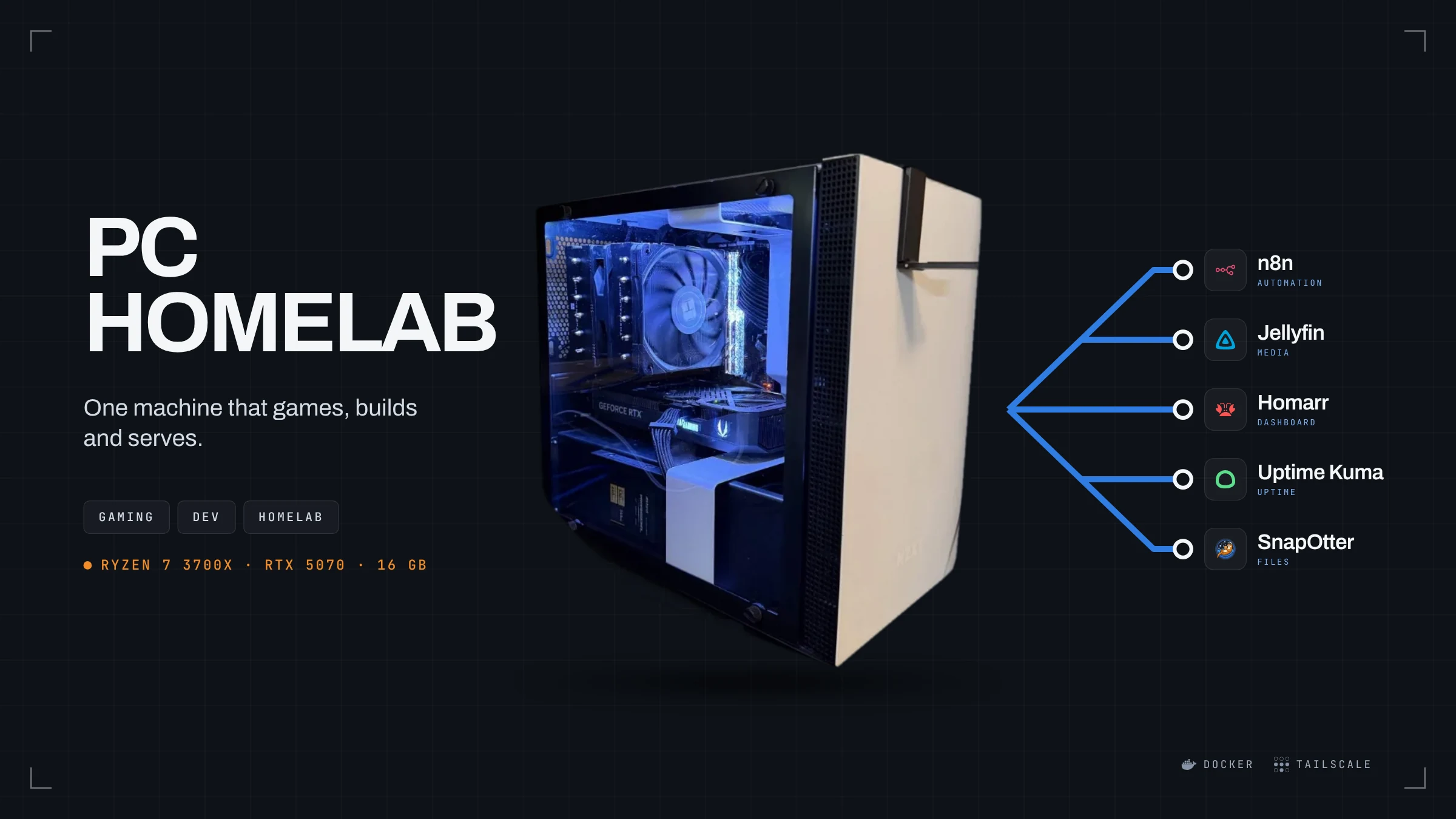
The build
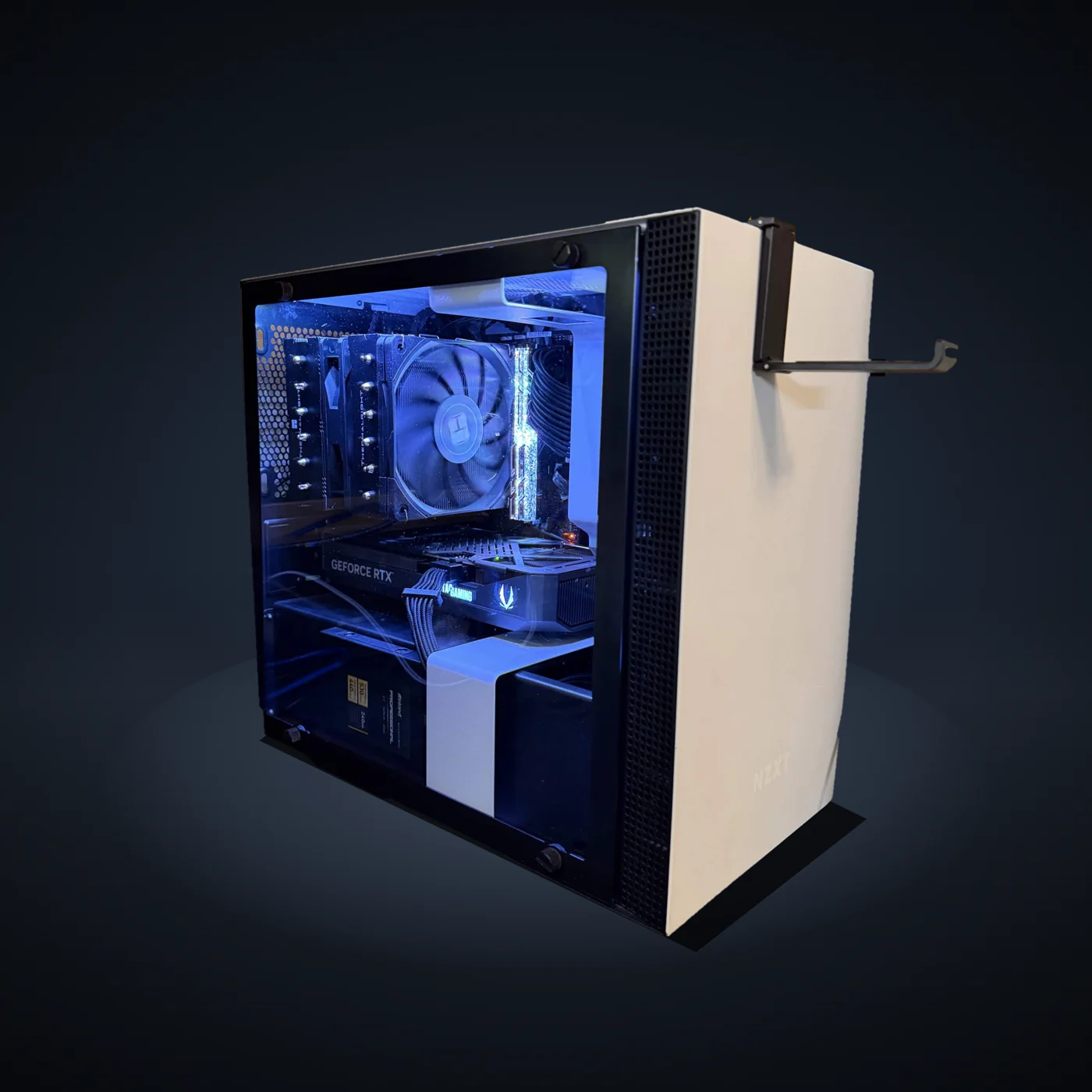
CPU
AMD Ryzen 7 3700X · 8 cores · 3.6 GHz
CPU Cooler
Thermalright RK120 SE · Dual Tower Cooler
Motherboard
ASUS ROG Strix B450-I Gaming · Mini-ITX · AM4
Memory
G.Skill Trident Z Royal 16 GB · 2 × 8 GB · DDR4-3200 · CL16
Storage
Crucial P3 Plus 1 TB · M.2 2280 NVMe · PCIe 4.0 x4
Storage
Inland Professional 240 GB · 2.5″ SATA SSD
Graphics
Zotac Gaming GeForce RTX 5070 Twin Edge OC · 12 GB VRAM
Case
NZXT H200 · Mini-ITX tower
Power Supply
Lian Li EDGE Gold 750 W · 80+ Gold · fully modular
Case Fans
Thermalright TL-C12C-S · 120 mm · 3-pack
What it does
Gaming
1080p at 144 Hz on the RTX 5070, and streamed to my laptop and phone with Sunshine and Moonlight.
Development
WSL2 runs ROS 2 and Gazebo for the JetHexa sim, alongside Docker and local LLMs in Ollama.
Homelab
Docker runs n8n, Jellyfin, Uptime Kuma, Homarr and SnapOtter, reachable anywhere over Tailscale.
How it fits together
- 01
My laptop & phone
Moonlight · browser
- 02
Windows 11 Pro
Games · Sunshine · Ollama · VS Code
- 03
WSL2
A real Linux kernel running inside Windows
- 04
Ubuntu
ROS 2 · Gazebo (JetHexa)
- 05
Docker
n8n · Jellyfin · Uptime Kuma · Homarr · SnapOtter
- 06
Hardware
Ryzen 7 3700X · RTX 5070 · 16 GB · 1.24 TB
I wanted one machine that could game, build and serve, instead of three that each do one thing. Every choice below follows from that.
Why it’s built this way
One machine, three jobs
Instead of a separate gaming PC, server and dev box, one PC does all three. Windows runs games and everyday apps directly on the hardware, and everything else sits on top. That’s one set of parts to buy, power and maintain.
Linux without a second computer
WSL2 runs a real Linux kernel inside Windows, so I never dual-boot. It hosts the Ubuntu environment for the JetHexa ROS 2 and Gazebo sim, and Docker uses it as its Linux backend, so Linux containers run here just like on a Linux server.
Isolated, so nothing breaks the rest
Each homelab service lives in its own container with everything it needs, so updating one can’t take down another, and any of them can be rebuilt or moved to another machine.
The GPU earns its keep twice
The RTX 5070’s 12 GB of VRAM runs games and local LLMs. The same card that plays at 144 Hz runs and profiles the models for my inference research.
A light laptop, a heavy PC
Rather than carry a gaming laptop, I carry a thin 2-in-1. Sunshine streams the PC and Moonlight plays it on my laptop and phone, so the heavy lifting stays at home and I get it anywhere.
Private by default
Tailscale links the PC, laptop and phone in a private network, so I reach every service from anywhere without exposing any of them to the public internet.
Small, but not compromised
The whole build stays compact on a desk, but it still fits a full-size RTX 5070, a dual-tower cooler and a 750 W power supply, so size didn’t cost performance.
Self-hosted services
n8n
Workflow automation that connects apps and runs scheduled jobs.
Jellyfin
Media server that streams my library to any device.
Uptime Kuma
Watches every service and tells me when something goes down.
Homarr
One dashboard with every service in one place.
SnapOtter
A self-hosted file-processing toolkit, so files never leave my hardware.
The trade-offs
Mini-ITX means two RAM slots and one PCIe slot, so there’s less room to expand than on a full-size board.
Games and local LLMs share one GPU, so I don’t run heavy models while gaming.
When the PC restarts, the homelab restarts with it. It’s a homelab, not a data center.
Why not host my own storage?
I don’t run a NAS or keep my backups on my own drives. I pay for iCloud+ with 2 TB instead.
Since I have an iPhone, one service backs up my entire digital life, and I don’t have to worry about a drive failing. Apple’s servers are far more reliable than anything I could set up myself. iCloud Drive also works on Windows, so my files are right there on this PC too.